
Magento Integration
Connect your Magento store to fetch live ITE Cargo shipping services and rates, and offer customers a seamless checkout experience.
Setup
Get the Module
Install the ITE Cargo module:
-
Copy Module Files — Copy the IteTech directory into the
app/codedirectory of your Magento 2 installation. The final path should beapp/code/IteTech/IteCargo. - Enable the Module — Open your terminal, navigate to your Magento root directory, and run the following commands:
php bin/magento module:enable IteTech_IteCargo
php bin/magento setup:upgrade
php bin/magento setup:di:compile
php bin/magento setup:static-content:deploy -f
php bin/magento cache:cleanEnable the Shipping Method
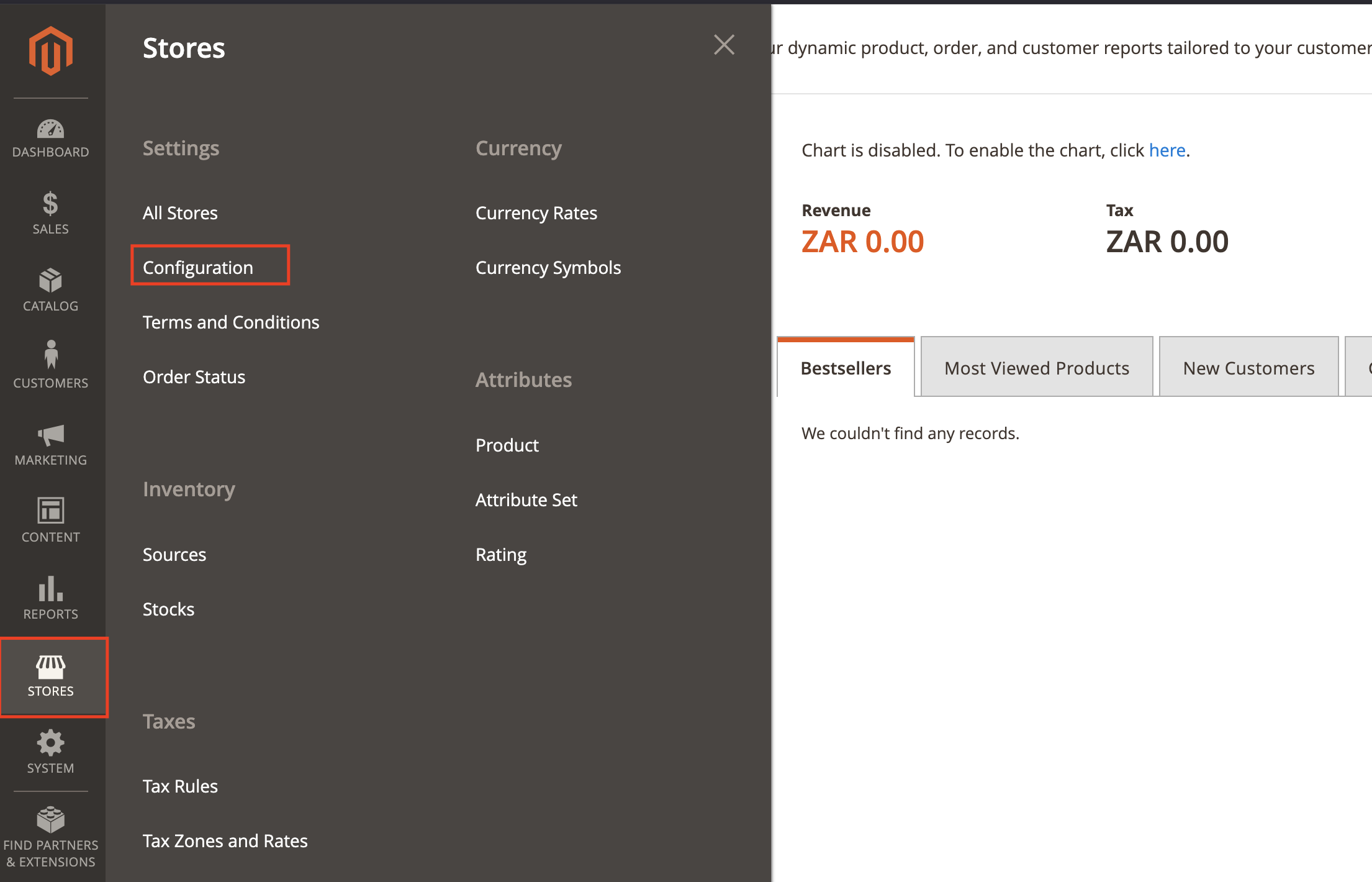
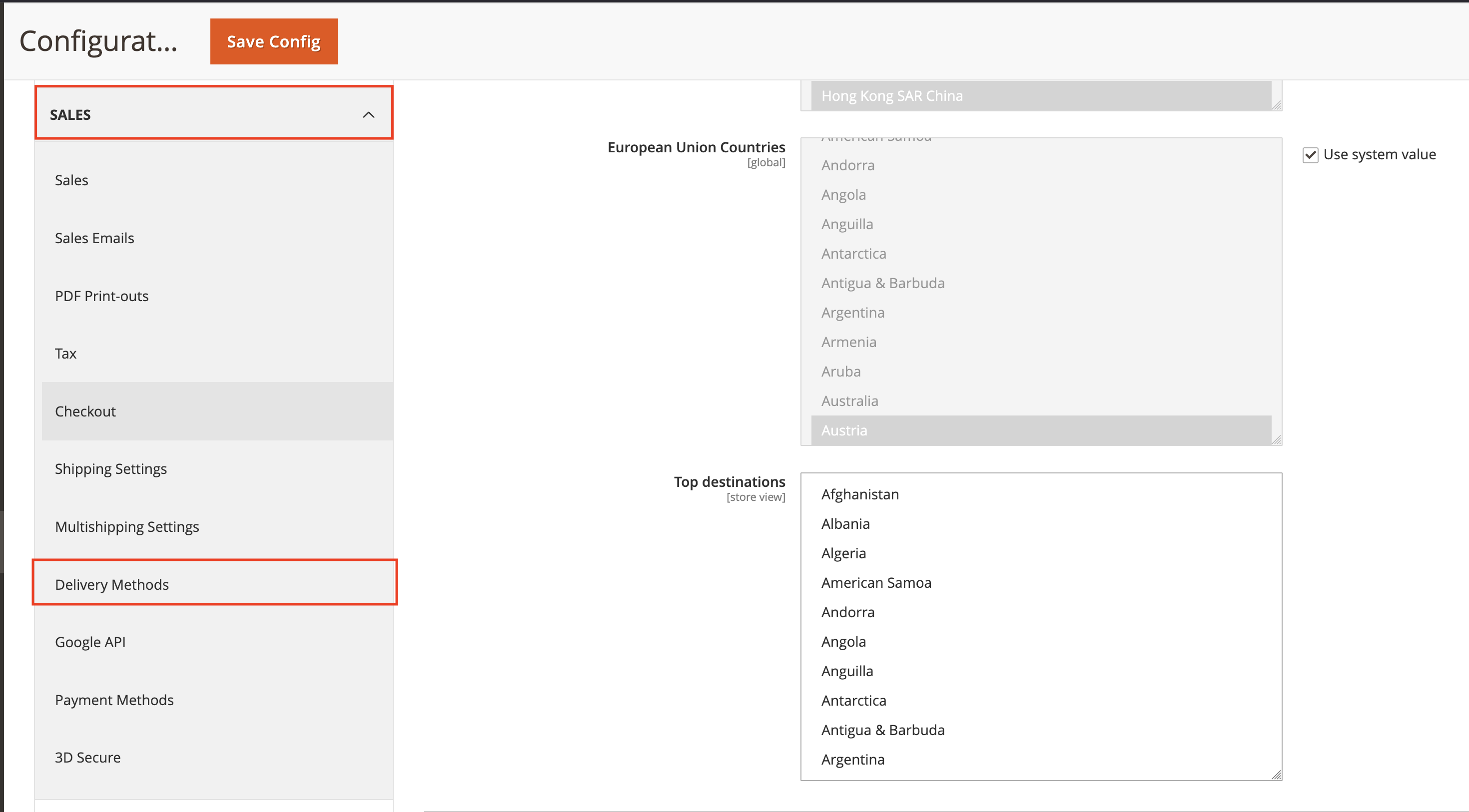
In Magento Admin, go to Stores → Configuration → Sales → Delivery Methods.
Configure the Module
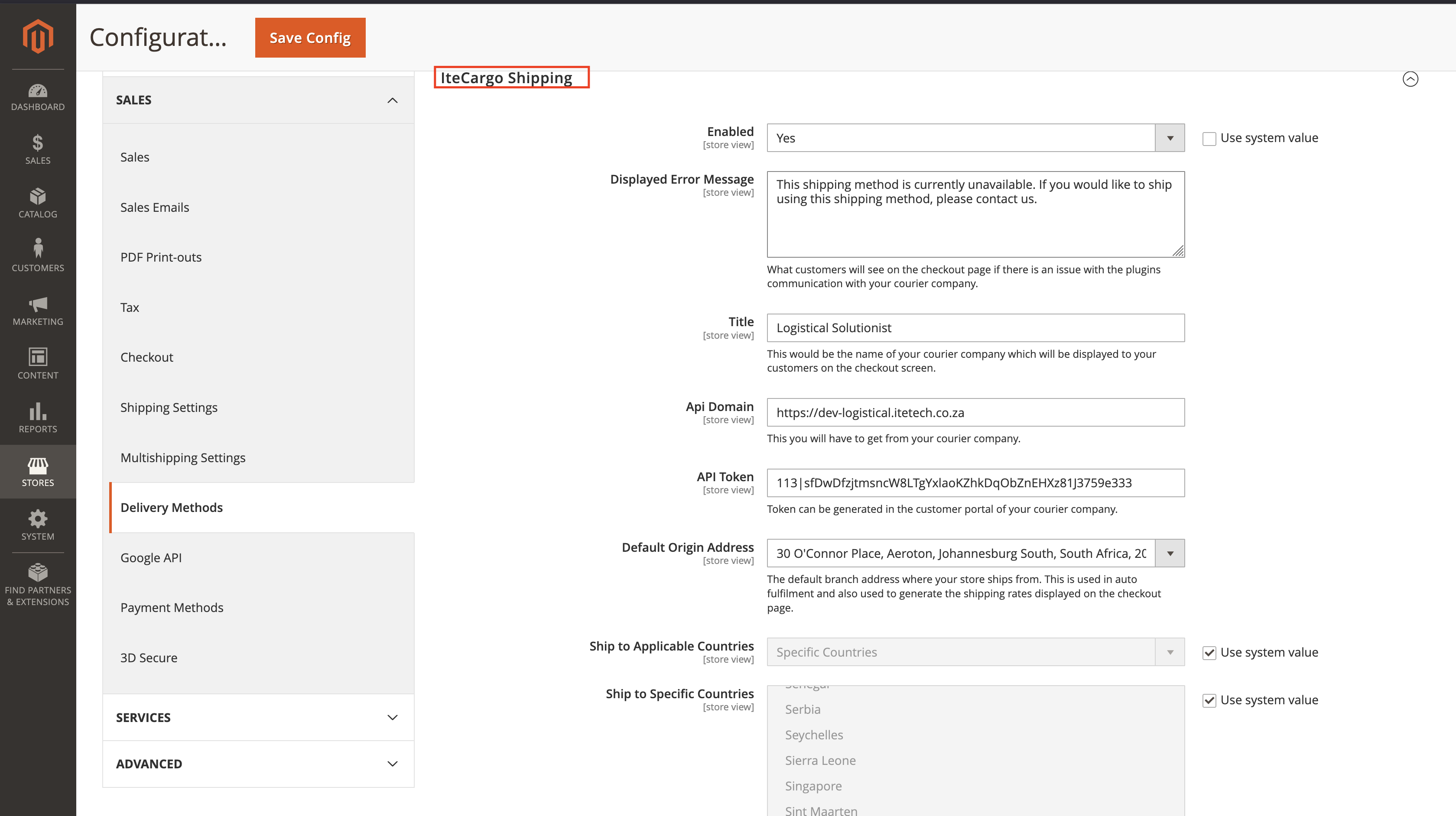
- Open ITE Cargo Shipping
- Enabled: Yes
- API Domain: ITE Cargo API endpoint
- API Token: Your ITE Cargo API key
- Title: Displayed name (e.g., “ITE Cargo Shipping”)
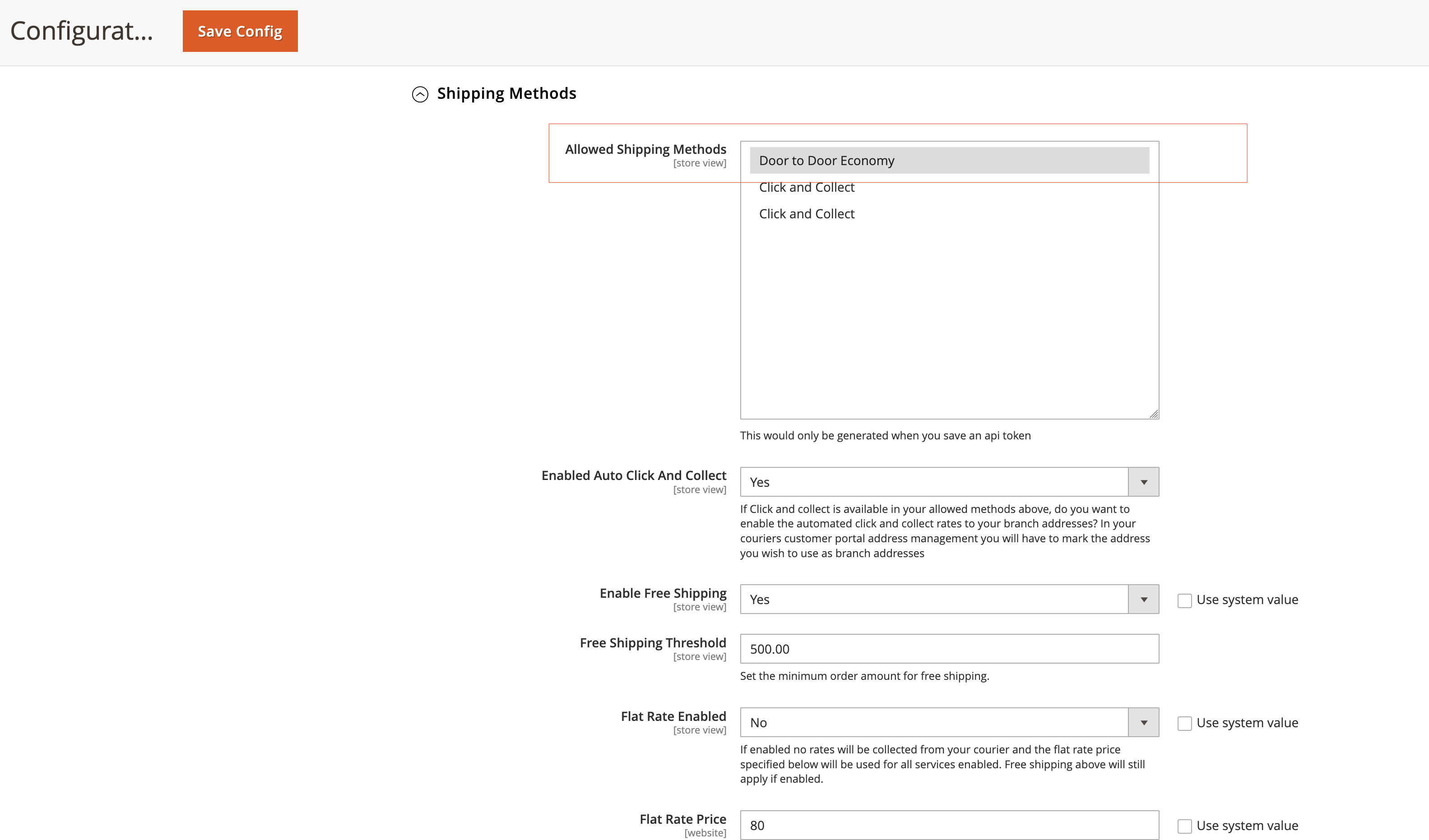
- Allowed Services: Select services (fetched live from API)
- Click & Collect Enabled: Enable if supported
- Debug: Yes (to log in
var/log/debug.log) - Then click save config
Flush caches
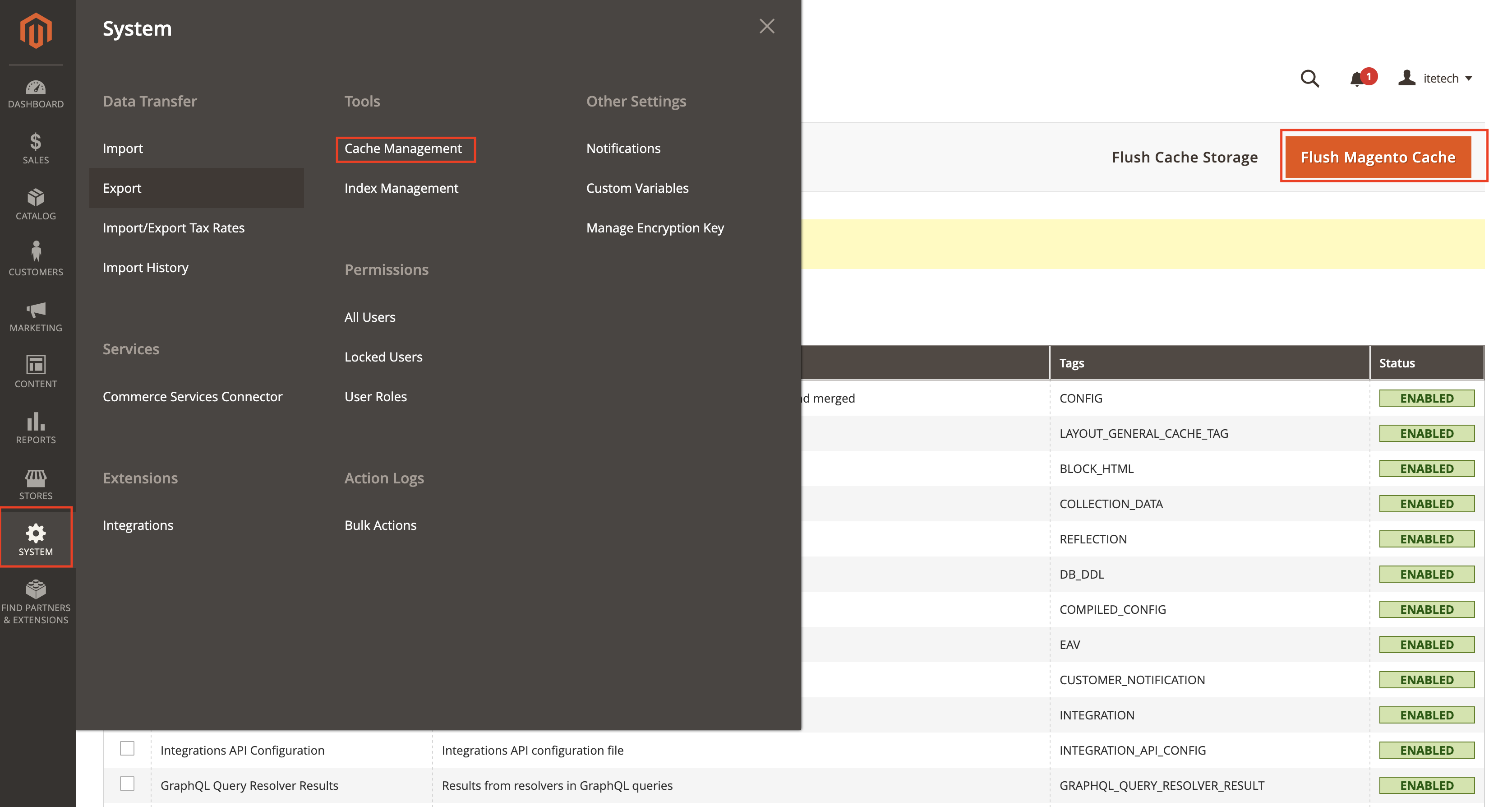
Click Flush Caches, if prompted. In Magento Admin, go to System → Cache Management → Flush Magento Cache. Your store is now configured to request services from ITE Cargo.
Testing & Troubleshooting
Verify Configuration
- Return to the ITE Cargo settings and confirm values are saved.
- Allowed Services should be populated from the API. If empty, re-check the API URL and API Key.
Test Checkout
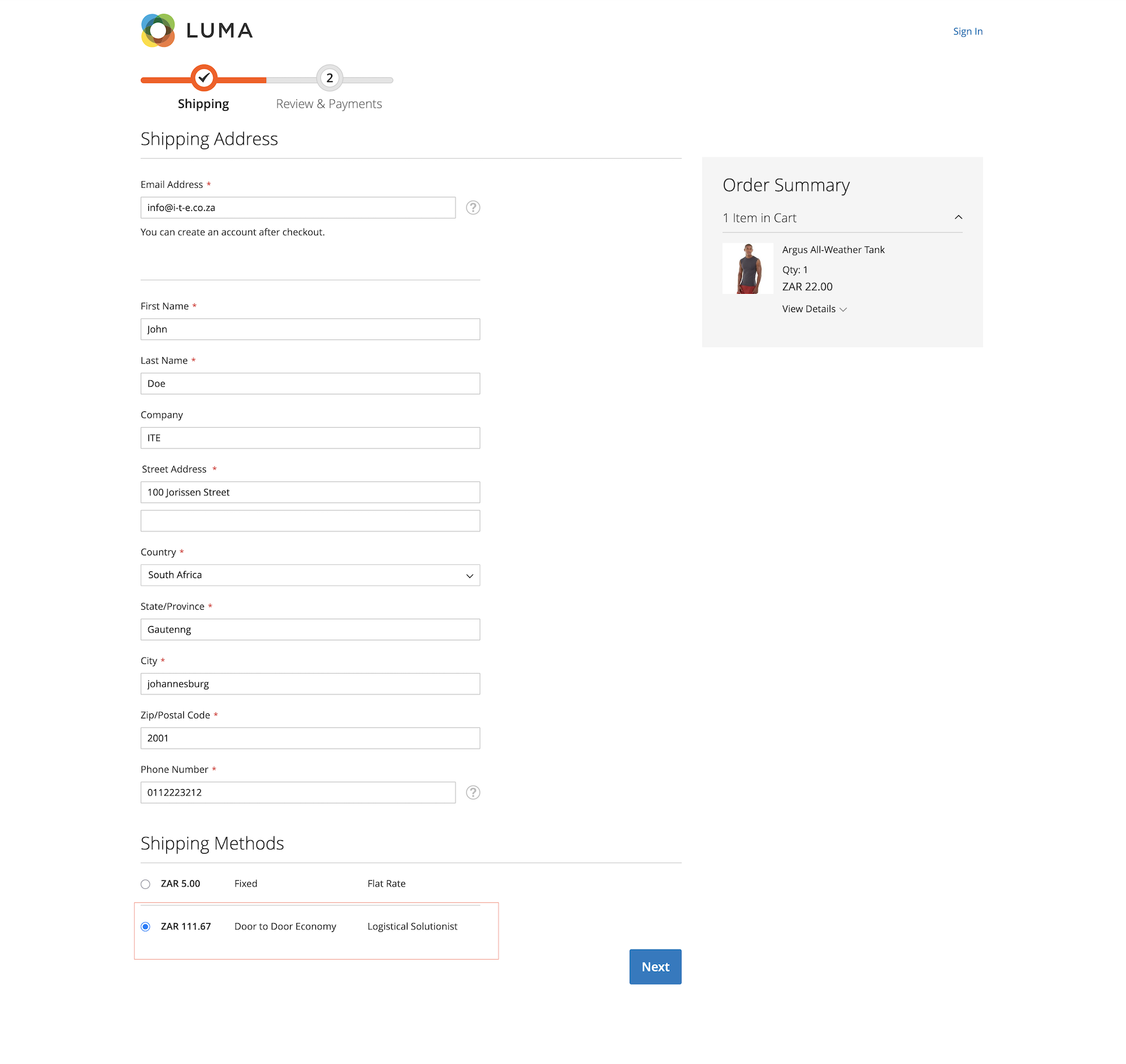
- Add a product and proceed to checkout.
- Enter a valid address; in the shipping step you should see ITE Cargo with the enabled services/rates.
Cron Job
The module registers a cron itech_itecargo_process_shipments (runs daily) to
refresh services.
You can run cron manually:
php bin/magento cron:runReview Logs
Enable Debug in the module settings to log details in var/log/debug.log.
Look for entries prefixed IteTech_IteCargo: to inspect API requests, responses,
and errors.
Need help setting it up?
Our team can assist with configuration, testing, and go-live checks.
Email Support